
Built for Hong Kong tuition and education centres. It consolidates scheduling, attendance, billing, e‑invoicing, auto reconciliation, parent portal and WhatsApp alerts on a single platform.
Supports FPS, PayMe, Octopus and credit cards. Available in Traditional Chinese and English, helping institutions cut paperwork, improve operations and expedite month-end settlement.

All‑in‑one support for daily centre operation

Enables tutors to take attendance swiftly and log present, absent and late records accurately for attendance reporting and teaching follow-up.

Build and maintain timetables with classroom and resource allocation, preventing clashes and maximising venue usage.

Centralised student record management covering profiles, lesson balances, invoices, receipts and learning progress month-end settlement.
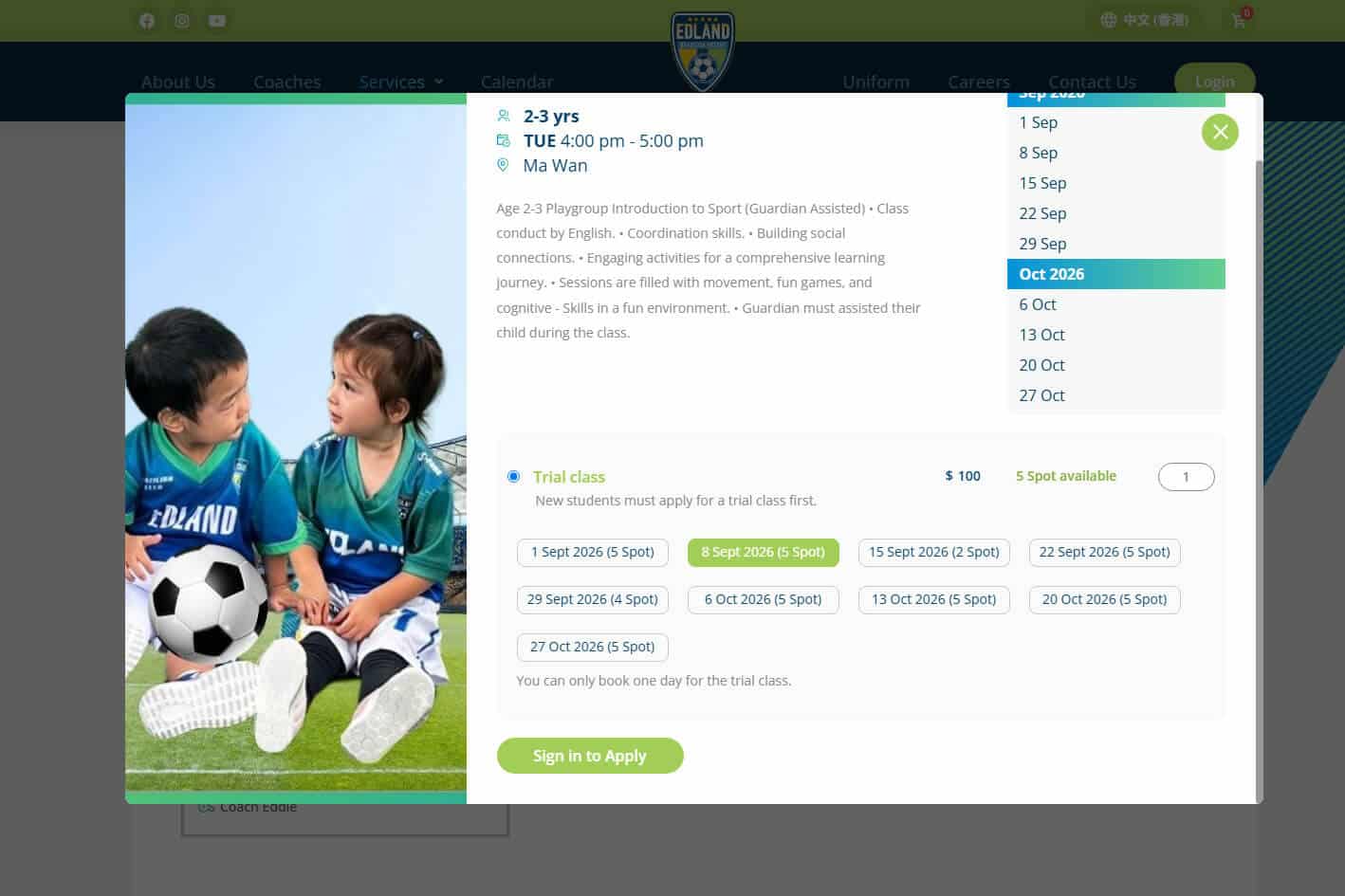
Self-service lesson purchase portal for students and parents. Account records and lesson balances update automatically after payment.

Supports hourly pay calculation and payout management to facilitate report checking and month-end closing.
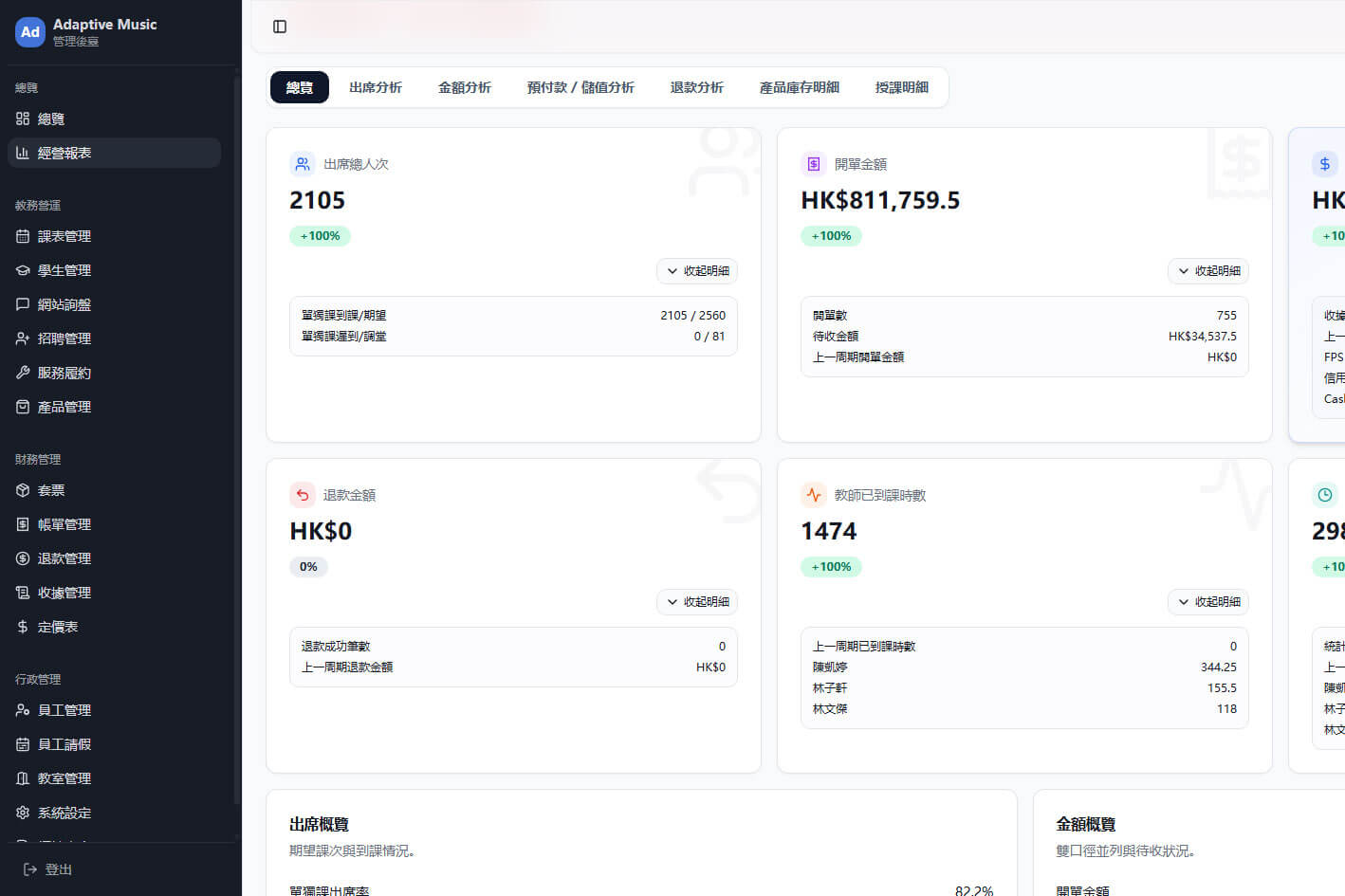
Intuitive dashboard displaying student attendance, timetables and financial analysis for management to monitor operations and learning outcomes instantly.
Supports your full workflow: recruitment, student, course and financial management.
Potential customer management;
Sales follow-up;
WhatsApp marketing;
Customer conversion.
Student Records
Student Attendance
Student Class Rescheduling
Teacher Comments
Course Management
Class Management
Schedule Management
Attendance
Income and Expenditure Records
Account Analysis
Hourly Wages
Profit Analysis
Organize and save student-related activities such as tutoring center events and parent meetings, and establish complete follow-up records.
Centralized management of mentor and center schedules, support for scheduling and reminders, and assistance to the front desk in effectively allocating manpower and resources.
It categorizes and stores resources such as teaching materials, test papers, exercises, and videos, supports file sharing, and improves the efficiency of lesson preparation and teaching.
ustomised for Hong Kong tuition centres. Interface language and workflows align with front-desk routines.
Built upon Adaptive’s CRM and ERP capabilities, it supports future expansion into other business modules.
Centralised management for administration, courses, billing and data analytics to reduce system-switching overhead.
Technology consultancy and onboarding support for solution planning, project management and training.
Integrates Hong Kong’s widely used instant messengers for recruitment follow-up and alerts, powered by official APIs.
Fully supports FPS (Faster Payment System), PayMe, Octopus and credit card payments for parents’ convenience.
Below are frequently asked questions and answers regarding system functions.
Yes. After students complete lesson purchases on the website, the system will automatically update their account details and lesson balances.
It records tutor attendance and lesson hours, handles payroll management and can generate checking reports.
Yes. The system has been integrated with the WhatsApp API for convenient enrollment follow-up and message notifications.
Yes. You can view account, profit, and cash flow analysis through the financial management module and Dashboard.
Our consulting team can assist with needs assessment, data organization, system setup, and deployment training.
This is normally due to automatic fee record update not being triggered after class transfer. The attendance list is updated but the invoice stays the same. Front-desk staff then have to manually verify payment status, consumed lessons and new class fees when parents ask, requiring manual reconciliation across different records.
1. Check payment status – Confirm if the system differentiates paid records (remaining balance calculation) and unpaid records (adjust original receivables). Poor separation may lead to duplicate payment chasing or missing top-up balances.
2. Clear calculation of class fee differences – It should follow your centre’s rules covering unused old lessons, transfer effective date and new-class charges. Test which invoice records the difference and whether calculation details are kept for verification.
From confirming the class transfer, to having the student's name added to the new class, to updating the accounts receivable difference and payment status simultaneously, it's crucial to clearly understand who confirmed each step and when, so the front desk doesn't have to manually reconcile the figures.
When enquiry details are only available to the assigned colleague, others cannot view the parent’s course interest or follow-up status. The parent may sign up elsewhere before the form is picked up. Ad budget is lost not because of the ad, but due to poor handover of enquiries.
It keeps every class transfer as one clean transaction. No more manual cross-checking of payment records, lesson credits and fees for both classes whenever parents enquire.
1. Central enquiry repository – Check whether parent particulars, interested courses and enquiry remarks can be kept together. Test using your existing form to spot any manual data transfer steps.
2. Visible assignee & progress tracking – Track follow-up owners and next tasks. Clear statuses including Replied, Awaiting class selection and Pending confirmation enable smooth handover without repeating questions to parents.
1. Centralize information in one place — Can parent information, desired courses, and search results all be put in one place? It's recommended to try using the form you're actually using to see which data still needs to be manually moved.
2. Clearly visible follow-up personnel and progress — Can you see who is responsible for following up and what their next step is? The stages of "replied," "waiting for parents to choose a class," and "waiting for confirmation" should be clearly distinguished — so that when a colleague is on holiday or changing shifts, the person taking over doesn't need to ask the parents again.
From the moment someone inquires to the moment someone officially registers, each step needs a clearly defined person in charge. If any step relies on someone else remembering or being on duty, an inquiry brought about by advertising fees can easily slip away quietly.
Not necessarily. It depends on which functions are missing. Sometimes adding selected features or integrating your current system with other tools will suffice. We recommend reviewing the capabilities of your existing system first before deciding whether to replace it.
Avoid only viewing a high-level demo. Test core scenarios: auto-update of fees and class lists upon transfer, enquiry visibility during handover, and clean conversion to official student records after payment. Polished demos can still have workflow gaps.